Assassin's Creed Mirage
UX Design of the Eagle's Reticle


UX Design of the Eagle's Reticle
My assignment was to redesign the usability of the Eagle’s crosshair to meet actual gameplay objectives in Assassin’s Creed Mirage.
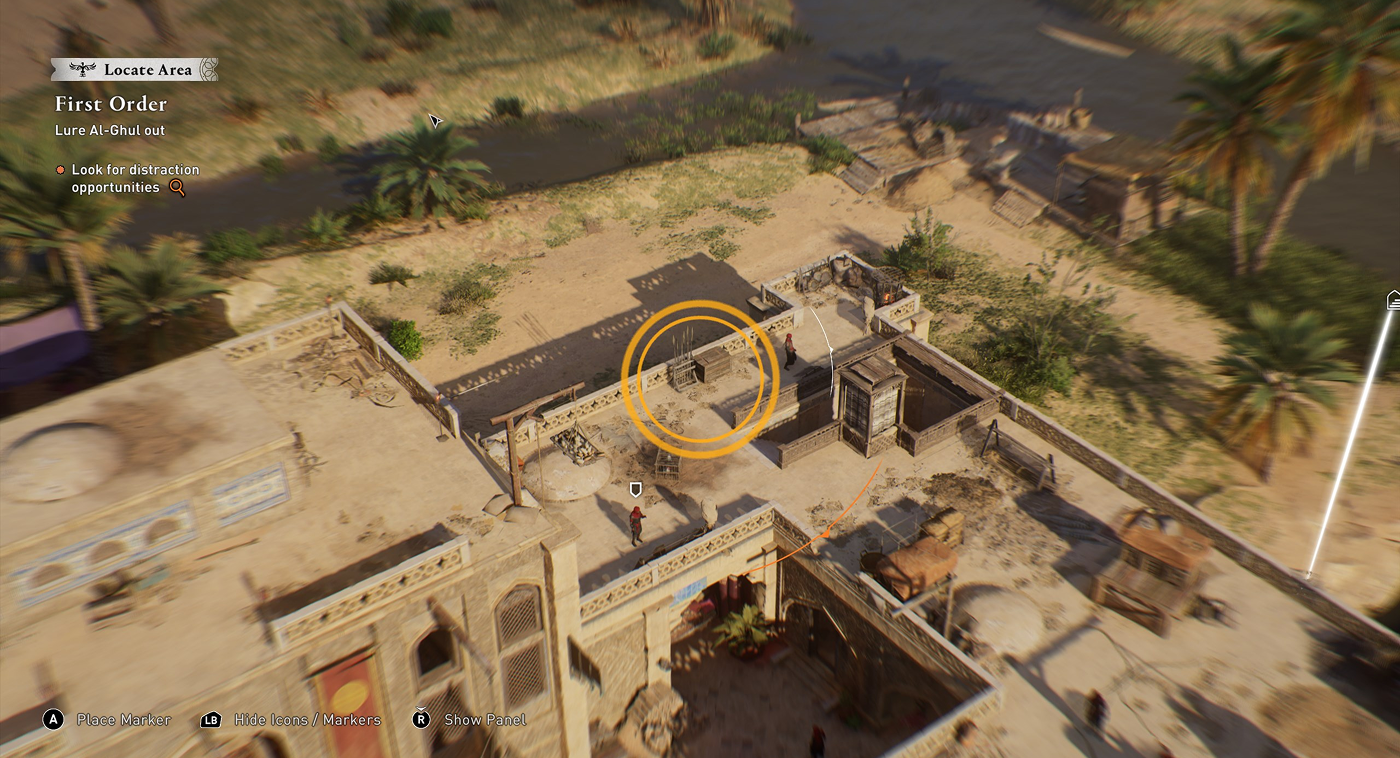
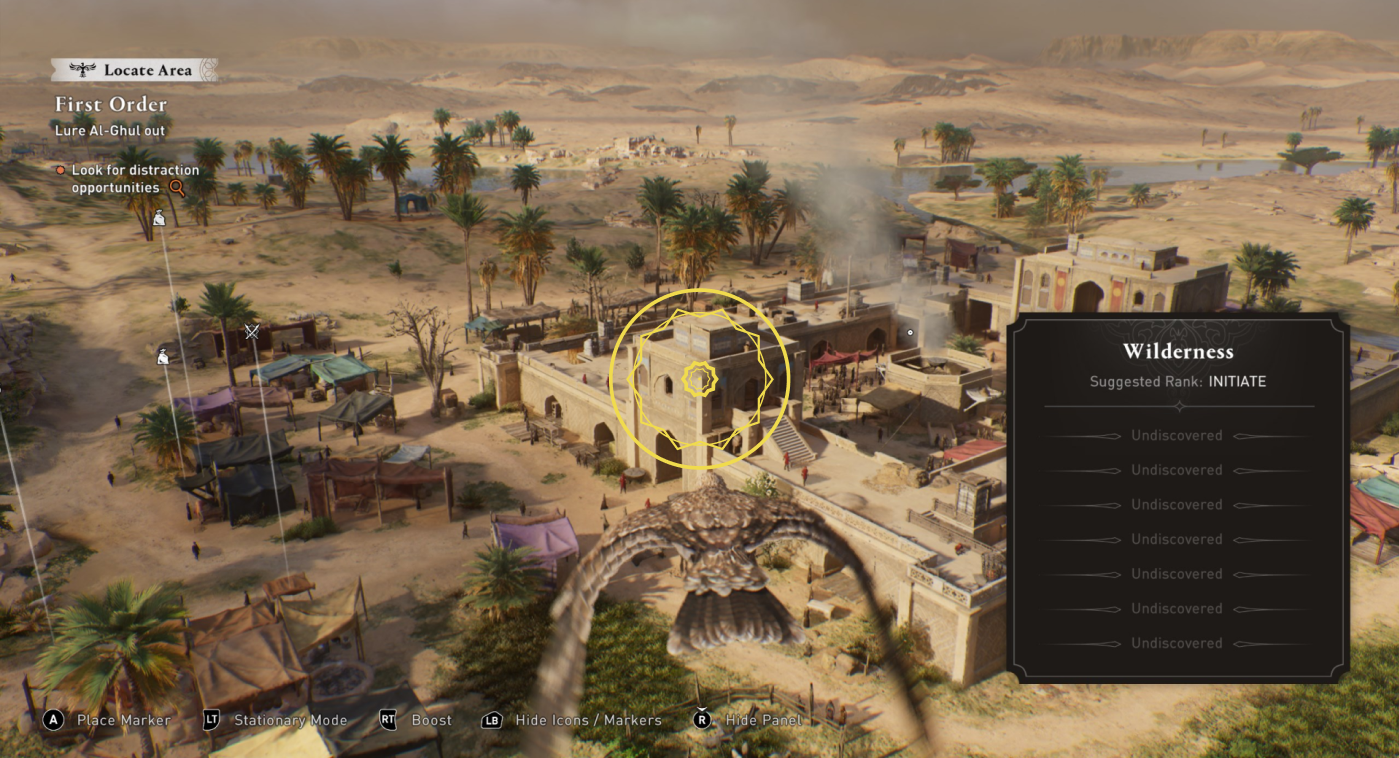
Playtest data from our User Research team confirmed usability issues with the Eagle feature.
I identified existing problems and explored improvement opportunities.
I designed a new flow, including motion design and UI assets.
I delivered a high-fidelity interactive prototype on Protopie, including the UX flow and motion behavior.
The UI Director provided redesigned UX assets that I incorporated into the prototype on Protopie.
I finalized the design on Figma and Protopie and I presented the flow, prototype, and assets to the tech team.

Figma

Protopie

I was the UX Design Owner of the feature. I collaborated with the Game Director (Jean-Philippe Mottier) and the UI Director (Fabiano Vassao).

I presented the feature to our co‑development studio and continued to follow up throughout the design integration process until the build freeze.
As a player, I use the eagle to scout enemies and targets from a bird’s-eye view, so I can plan my gameplay approach accordingly.


The Eagle’s Reticle introduces a hot‑cold search mechanic that guides players toward points of interest. Through visual and sound feedback, the system helps players quickly understand what to focus on.
The Eagle feature has two gameplay goals :
From a UX perspective, the experience should feel smooth, intuitive, and immediately readable, minimizing friction and cognitive load while maintaining a playful and engaging search experience.
Beyond improving the Eagle's Reticle's usability, I saw a chance to elevate the entire visual experience.
Reports from User Research during development observed that the feature was misunderstood by players.




To me, these observations demonstrated how flawed design can mislead players and create unwanted frictions:
 Unable to use it. Participants couldn’t find the Target even though they were receiving audio and visual feedback indicating they were very close to finding it. Buggy feeling. Participants eventually inferred that there was a mark limit or a bug. Abandon. Players could spend too much time searching for the target, eventually abandoning it due to lack of results and growing frustration. Missing the feature. This led some participants to miss the crosshair feature altogether, limiting the variety of gameplay opportunities available to them
This problem was even more important when the Eagle was still far from the target. Game design rules had a restrictive marking distance and the usability of the feature wasn’t working properly.
Based on my analysis and on UR reports, I identified design problems to see how to improve the feature.
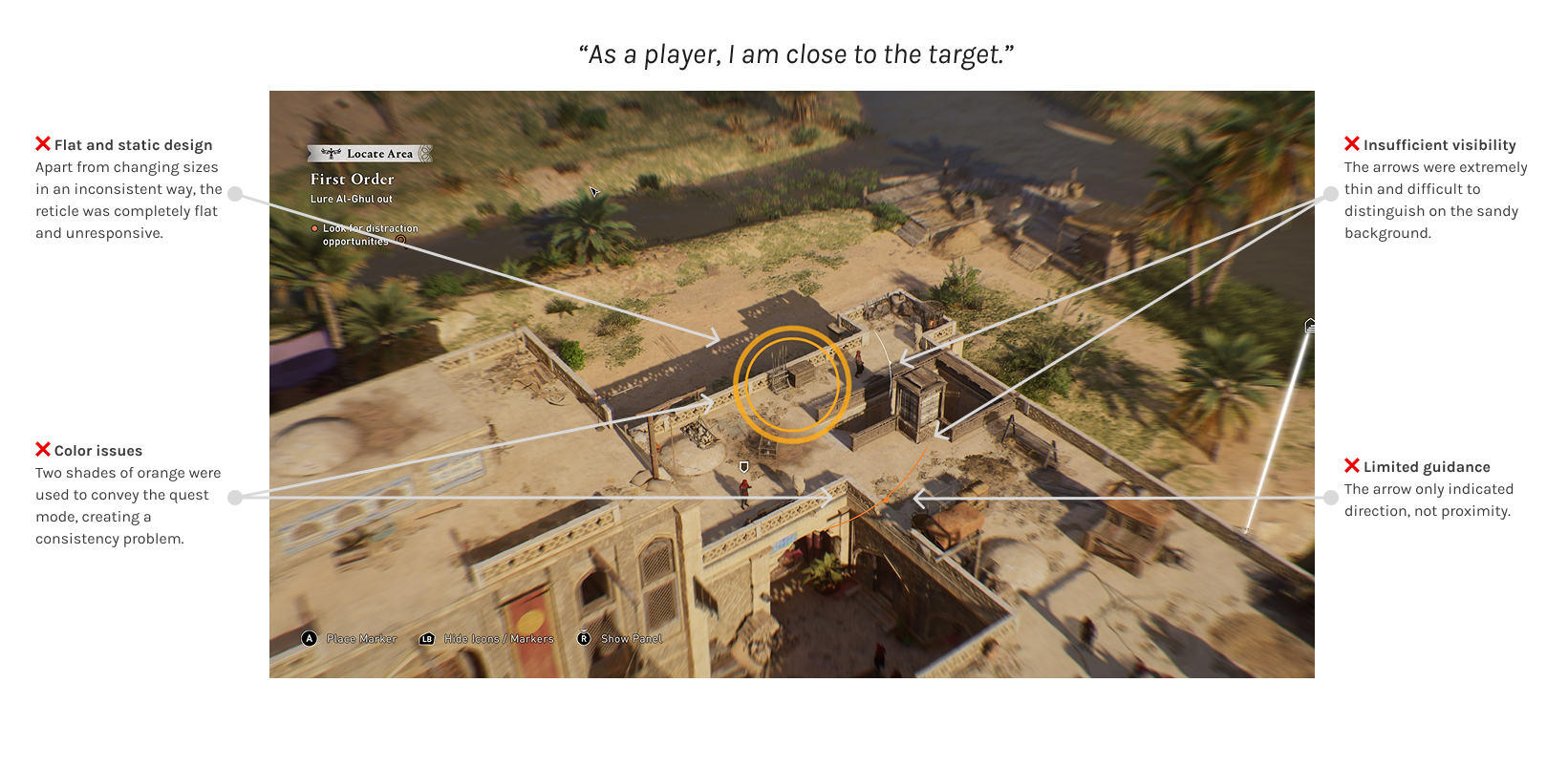
How could information be presented more clearly? My proposal focused on clearly distinguishing between two proximity states:
By making each state visually unique and highly reactive to distance changes, players would receive clearer, more immediate feedback:
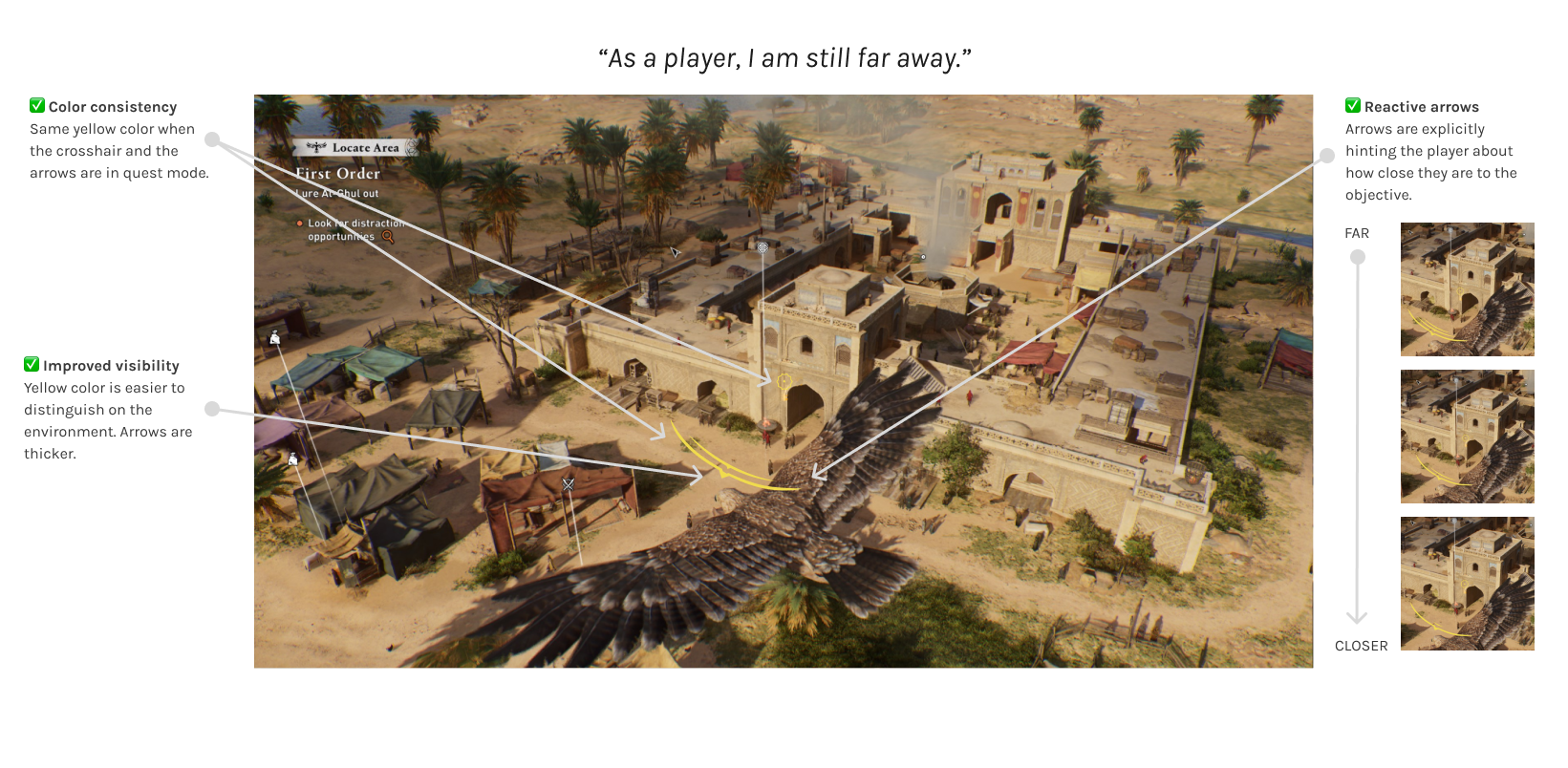
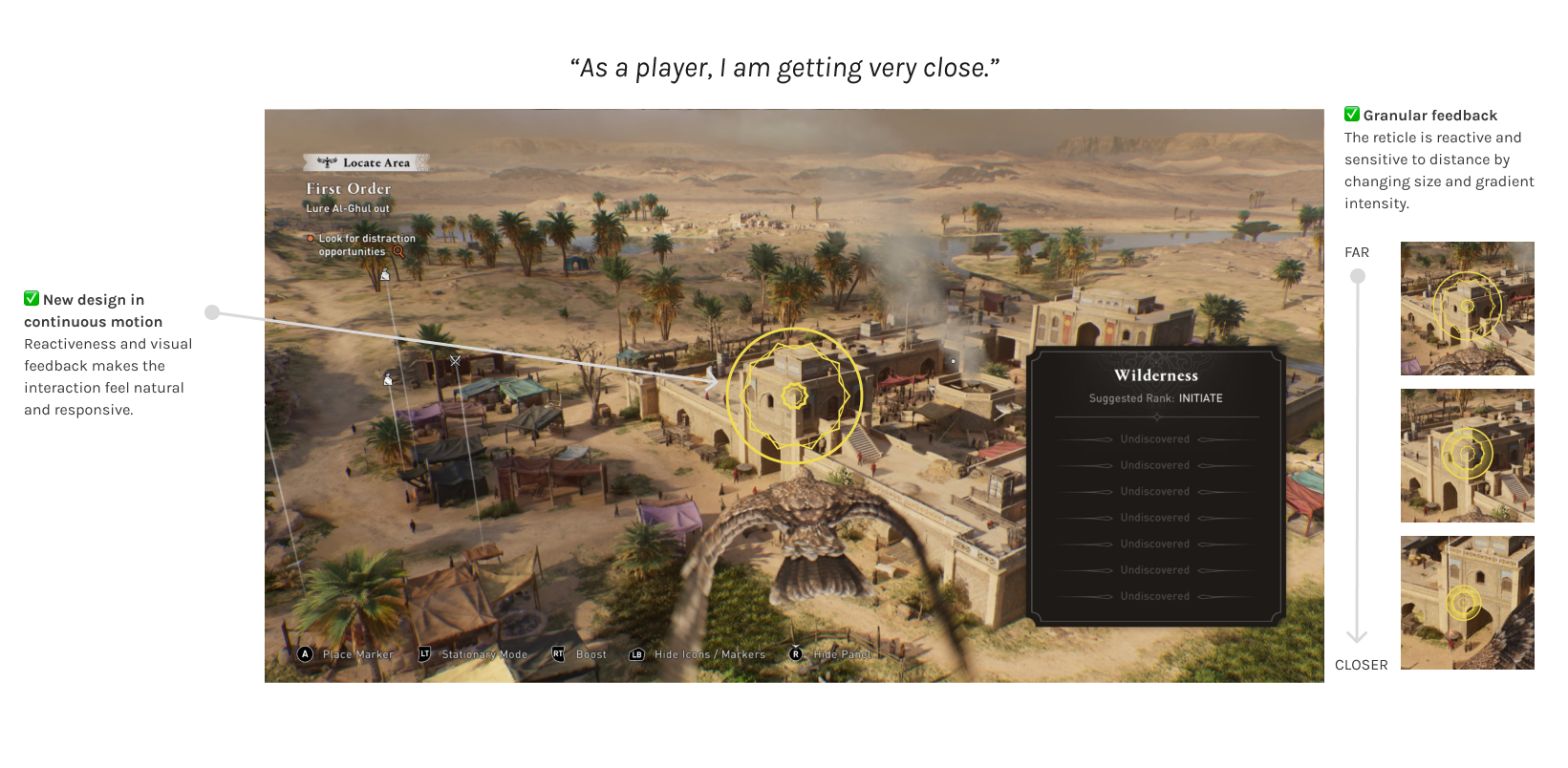
 Improved visibility. Yellow color is easier to distinguish on the environment. Arrows are thicker. Color consistency. Same yellow color when the corsshair and the arrows are in quest mode. Reactive arrows. Arrows are explicitely hinting the player about how close they are to the objective. New design in continuous motion. Reactiveness and visual feedback makes the interaction feel natural and responsive. Granular feedback. T The reticle is reactive and sensitive to distance by changing size and gradient intensity.
As you can see from the images above, my proposal focused on a more detailed and responsive reticle, with unified visible colors and a much more granular feedback.
Furthermore, my proposal incorporated advanced motion design, in order to improve perceived responsiveness and visual feedback, resulting in a more engaging interaction.
I also proposed additional enhancements:
Improved sound effects. More prominent and refined audio cues (SFX) to guide players through sound, benefiting the overall experience while supporting players with low vision. Accessibility. A customizable color option for quest and default modes to improve accessibility.Without writing a single line of code, I created this high‑fidelity interactive prototype on Protopie:
This is the first version of the prototype, with UX assets only.
This is a second version with the UI assets and a new background to test the visibility on more realistic conditions.
This prototype was integrated almost frame‑for‑frame into the build. This greatly streamlined the process and eliminated much of the potential back‑and‑forth with the Sofia studio, especially given the limited time we had before the build freeze.
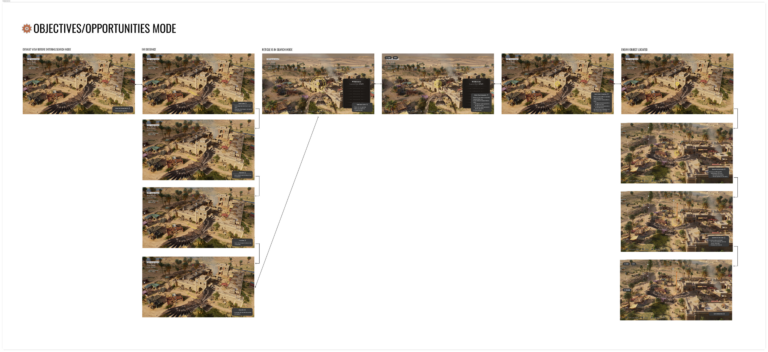
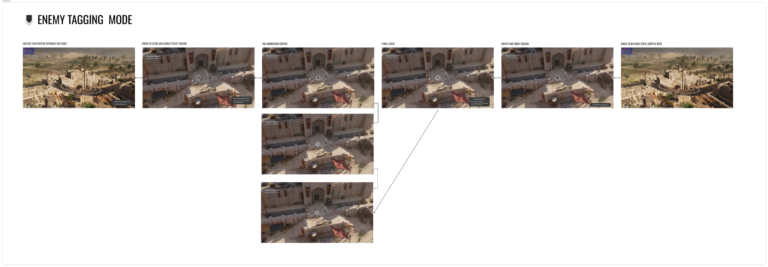
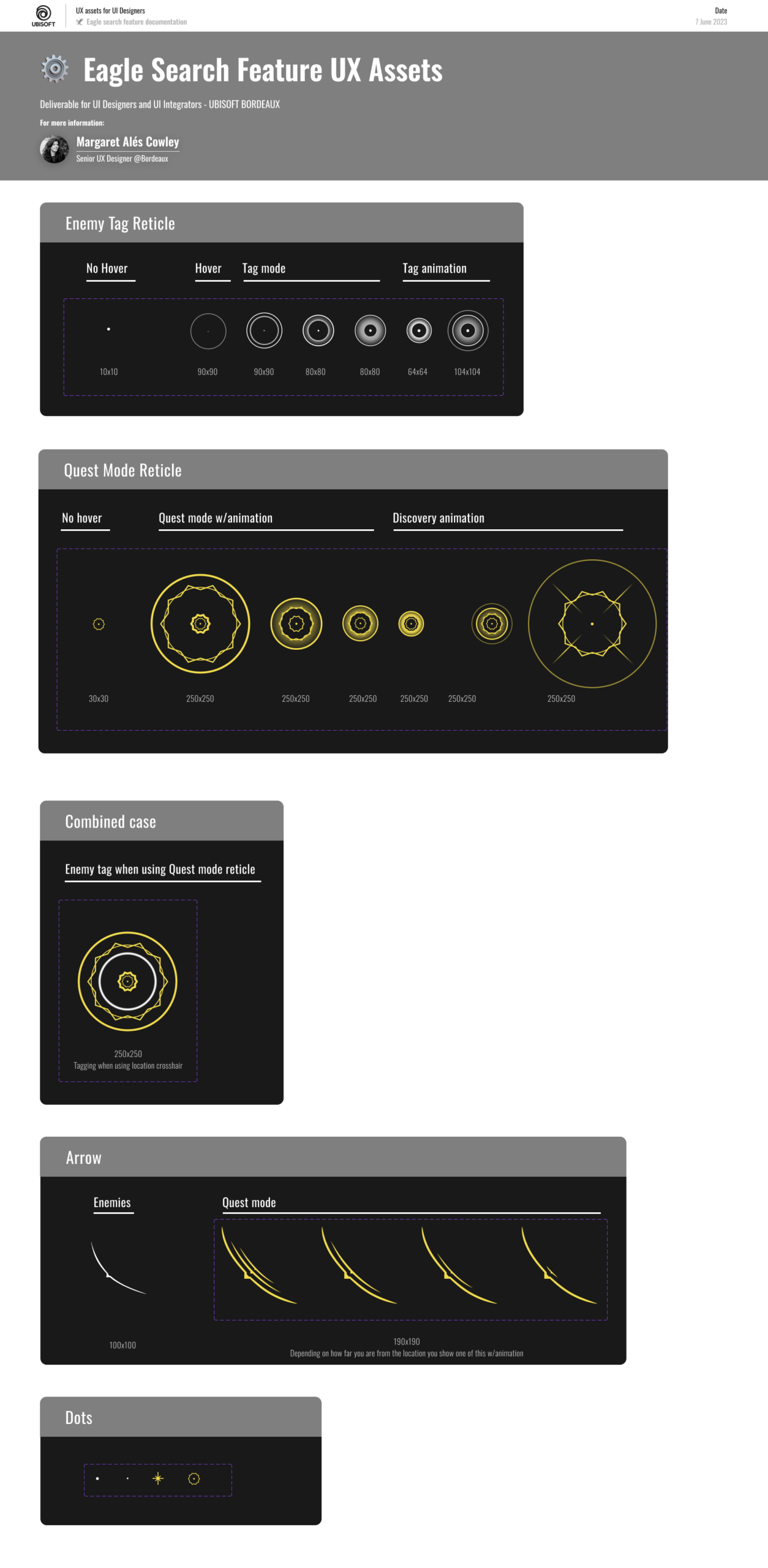
I also redesigned the enemy tagging mode. It was a simplified version of the Eagle’s Reticle.
Assets done on Figma and delivered to the UI team:
Wireframes done on Figma, as part of the documentation delivered to the integration team:
This prototype can only be tested with a mouse (not touchscreen).
In this study I share my UX thinking processes and ideas behind the revamp of the Eagle’s reticle of Assassin’s Creed Mirage. I took this assignment with enthusiasm and joy as this is an iconic feature in Assassin’s Creed’s brand.
I would have preferred running some final play tests with external participants, but time constraints made that impossible. We had to integrate and ship the feature as it was, to a point where we were still submitting fixes with the team in Sofia until the last evening before freeze. Even so, I felt confident in the new design. The foundations were solid and several elements were already already heavily inspired by the reticle of Assassin’s Creed Origins.
This experience reinforced how transformative no‑code prototyping can be. Doing it on Protopie enabled me to rapidly explore interaction patterns, design the motion design, align with stakeholders, and validate usability through internal testing. It proved extremely cost-effective.
The results felt smooth and intuitive, while keeping the search playful and engaging.
Have you played Assassin’s Creed Mirage? Contact me and share your experience with the Eagle’s Reticle!
Posted on January 19, 2026 By Maga
Categories: Professional work, Video Game, UX